
Beta access
For photographers we approve during the beta.
₹0
Studio features for 30 days
- Every Studio feature, unlimited photos
- Send feedback straight from the app
- No card needed
Dupix groups your bursts, picks the sharpest frame, flags closed eyes and shows what you can clear. Then edit the keepers in the same place. Your photos never leave your computer.
Free during the beta · we approve each photographer by hand · Runs in Chrome or Edge on a Mac or Windows computer
On a phone? Dupix works on a computer, where your photo folders are. Send yourself the link and open it there.
Email me the link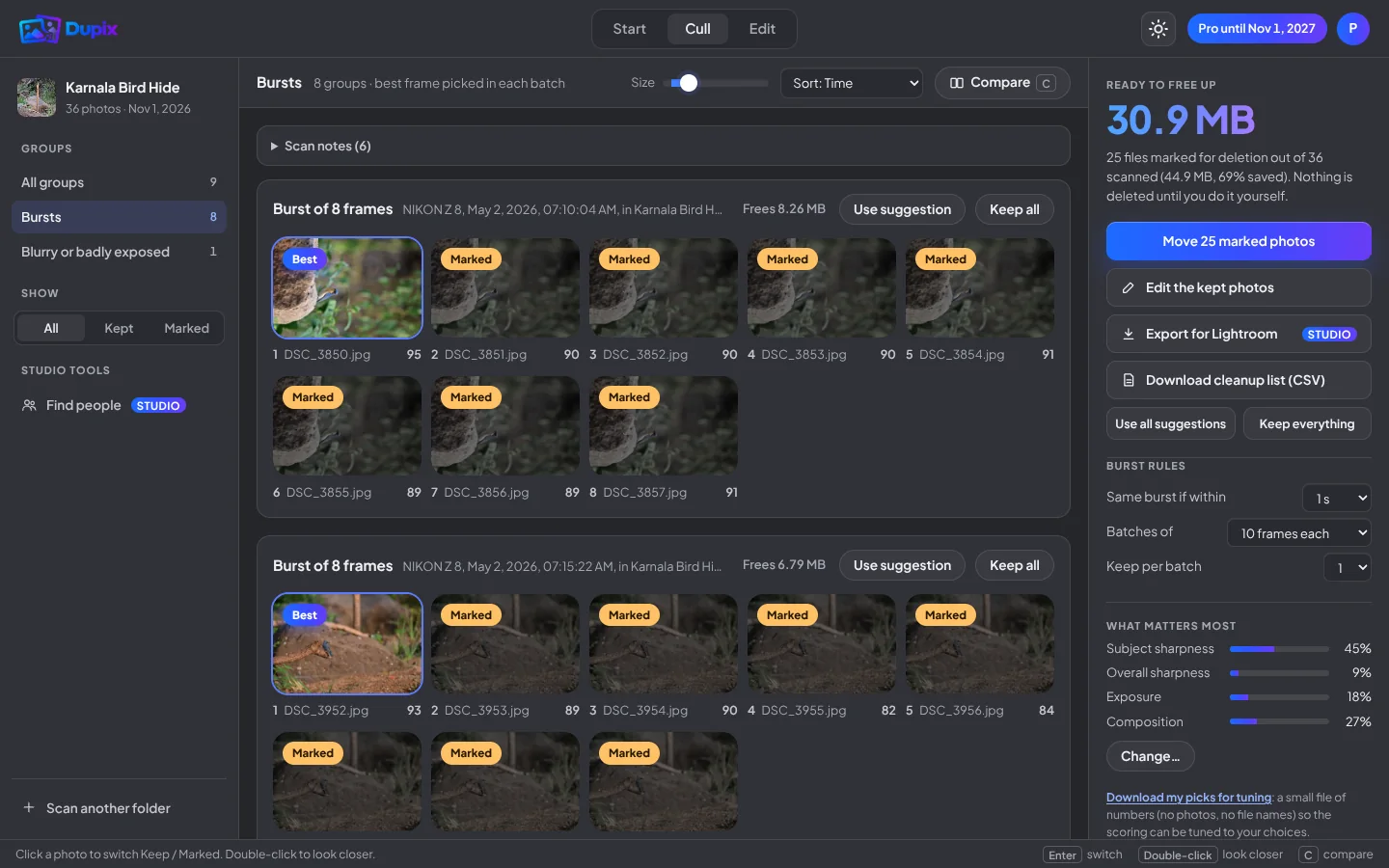
How it works
Point Dupix at a shoot, even thousands of photos with subfolders. Tell it what you shot: wedding, wildlife, sports.
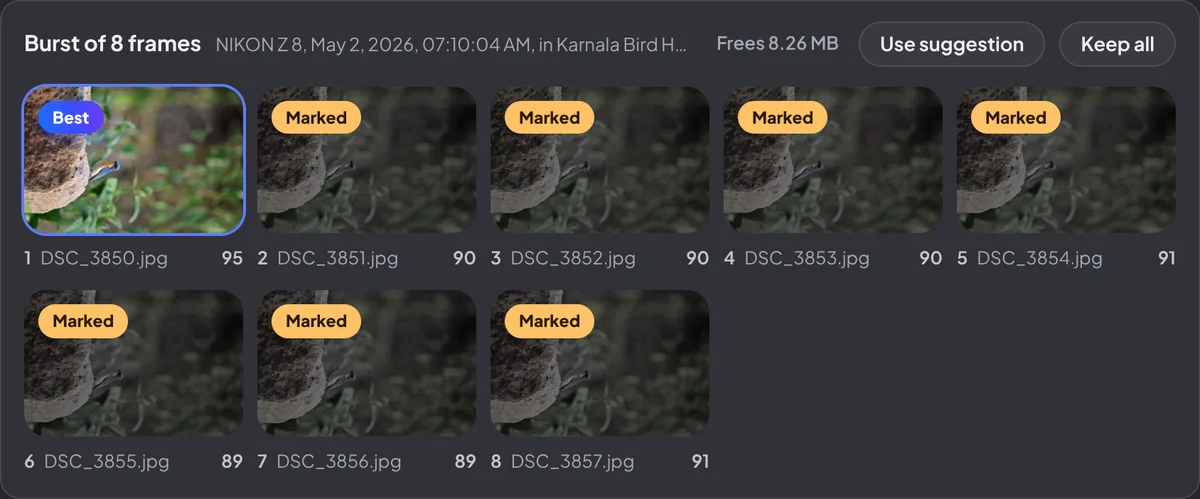
Bursts are grouped and the best frame is picked. Copies, blinks and blurry frames are marked for you to check.
Move the marked photos to a review folder, send your picks to Lightroom (Studio), or edit the keepers right away.
Cull
Dupix looks at every frame the way you would: is the subject sharp, are the eyes open, is it a copy of something you already have?
Edit
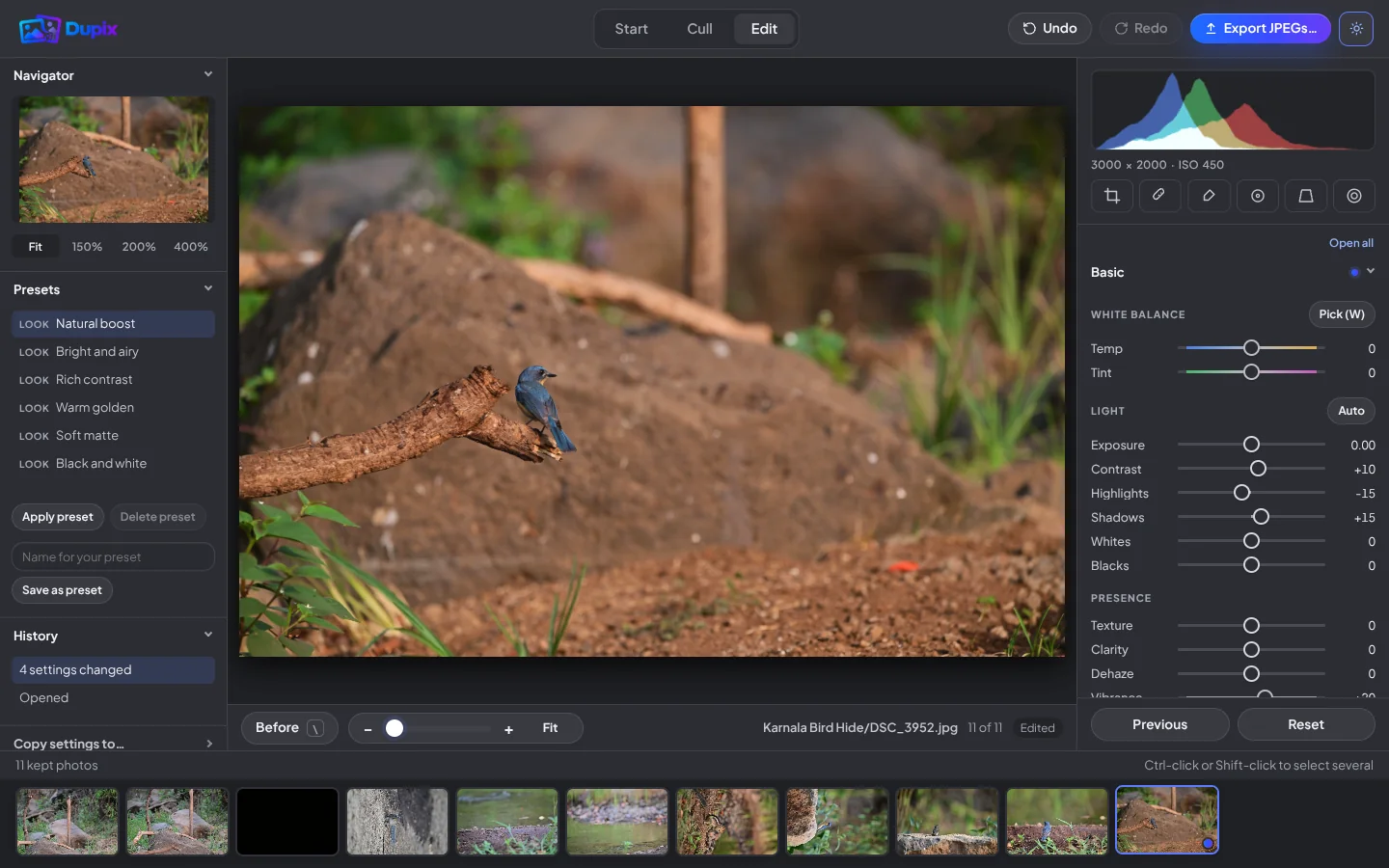
A familiar editor with the panels you already know, laid out the way Lightroom users expect.
Privacy and safety
Client photos are sensitive. Dupix was built so they never have to leave your computer.
Photos are read and analysed inside your browser. Nothing is uploaded, ever.
Marked photos go to a review folder. Change your mind and put them back in one click.
Edits are saved separately. Exports are new files next to your originals.
Made for your shoots
Pricing
During the beta, approved photographers use every Studio feature free. These prices apply after the beta. Every plan is prepaid and simply ends; we email you before it does.
For photographers we approve during the beta.
₹0
Studio features for 30 days
Unlimited photos for working photographers.
₹1,499 / year
or ₹199 a month · ₹899 for 6 months
For studios and big events.
₹349 / event
48 hours of Studio for one shoot · or ₹599 a month · ₹4,999 a year
How paying works: sign in once you are approved, then choose a plan from inside Dupix whenever you’re ready. You pay once, through Razorpay.
| Feature | Free trial | Pro plans | Studio plans |
|---|---|---|---|
| Photos you can scan | 300 | Unlimited | Unlimited |
| Exact duplicates (any folder, any name) | ✓ | ✓ | ✓ |
| Copies with changed metadata, and edited versions | ✓ | ✓ | ✓ |
| Look-alike copies (resized, re-exported) | ✓ | ✓ | ✓ |
| Best frame of every burst | ✓ | ✓ | ✓ |
| Sharpness judged on the subject | ✓ | ✓ | ✓ |
| Closed eyes, and everyone’s eyes open in group photos | ✓ | ✓ | ✓ |
| RAW + JPEG kept together | ✓ | ✓ | ✓ |
| Open any photo full screen | ✓ | ✓ | ✓ |
| Move rejects to a review folder, one-click undo | ✓ | ✓ | ✓ |
| Photos never uploaded | ✓ | ✓ | ✓ |
| Side-by-side compare | – | ✓ | ✓ |
| Cleanup list (CSV) | – | ✓ | ✓ |
| Big folders: pause and resume | – | ✓ | ✓ |
| Export to Lightroom and Capture One | ✓with a Dupix mark | – | ✓ |
| Find people | ✓with a Dupix mark | – | ✓ |
| Line up cameras | ✓with a Dupix mark | – | ✓ |
| Priority support | – | – | ✓ |
The three Pro plans have the same features, as do the three Studio plans; only the length differs. Trial exports carry a small “Culled with Dupix” mark. Nothing renews automatically.
Pay with UPI, debit or credit card, netbanking or wallets. Payments are processed securely by Razorpay; Dupix never sees your card or UPI details. Prices are in Indian rupees and include taxes. Refund policy
FAQ
Request access with your email at dupix.in/beta and confirm the address. We approve each photographer by hand and email you when you’re in. During the beta you get every Studio feature free for 30 days, and we’d love your feedback. The prices on this page apply after the beta.
No. Dupix opens the folder you choose straight from your disk and does every comparison inside your browser, on your own machine. No photo, thumbnail or result is sent to us or to anyone else. You can even pull out the network cable mid-scan and it carries on.
Never. Photos you mark are moved into a folder called “_To delete (Dupix)” beside your originals, with a list of where each one came from. You look through it in Finder or File Explorer and delete it yourself when you're happy. Changed your mind? Put them back returns every file to its original folder in one click.
Yes. Dupix reads RAW from Canon, Nikon, Sony, Fujifilm, Olympus, Panasonic and Pentax, plus DNG, alongside JPEG, PNG, WebP, AVIF, HEIC (iPhone), TIFF (8 and 16 bit) and BMP. A RAW and its matching JPEG are treated as one photo, so they're always kept or moved together. A file Dupix can't open (empty, damaged, or a type such as GIF or PSD) is listed with the reason, never silently skipped.
Scanning works in Chrome, Edge, Firefox and Safari on a computer. Moving marked photos into the review folder for you needs Chrome or Edge, because only those let a web page write back to a folder you picked. In the others you still get the full results, the CSV list and, on Studio, the Lightroom export.
Yes, on Studio and during the free trial. Dupix writes an .xmp sidecar next to each photo: the best frame of a burst gets two stars, everything else you keep gets one star, and anything you marked is flagged rejected and labelled red. Import the folder and your decisions are already there. The same sidecars work in Capture One. Trial exports also carry a “Culled with Dupix” keyword.
Nothing at all. Your photos and any review folders are files on your own drive and stay exactly as they are. Dupix just stops scanning new folders until you buy again.
Yes. Press Edit photos on the start screen to go straight to the editor, or edit the photos you keep after a scan. The editor has light and colour, Pick white balance, curves, fine detail, haze removal, noise reduction, effects, a brush, selective points, healing, lens blur, perspective, crop with ready-made ratios (4:5, 9:16, 4×6, A4 and more), zoom, looks and presets, and copying one edit to a whole burst. Edits are saved as settings and your originals are never changed; you export edited JPEGs (with an optional watermark) into a folder next to your photos. In the browser Dupix edits the JPEG, or the JPEG preview stored inside a RAW file, so for full RAW quality hand the edits on to Lightroom with the XMP export.
Your first 300 photos, with no card. The trial finds duplicates, look-alikes, the best burst frames and closed eyes, and moves rejects to a review folder, just like Pro. You can also try the Studio tools: Lightroom export, Find people and Line up cameras, with a small “Culled with Dupix” mark on what they export. Side-by-side compare, the cleanup list (CSV) and pause-and-resume come with Pro and Studio.
No. Every plan is prepaid and simply ends. There is no auto-renewal, no stored mandate and no cancellation to remember. We email you before your plan runs out, and you buy again only if you want to.
Yes. It counts blinks across every face it can see and, in a burst, keeps the frame where the fewest people blinked, ideally nobody. The labels say it plainly: “2 of 5 blinking” or “Eyes open 5/5”. Faces in very large groups can be too small for the quick check, so tick Check every face in large group photos before scanning a wedding or team group.
Dupix turns each face into a short list of numbers on your computer and groups faces whose numbers are close. You confirm the matches, name the person, then copy their photos into a folder or download a list. Find people is part of Studio, and you can try it in the free trial. Nothing is uploaded, faces are never saved, and everything is forgotten when you close the tab. It suggests and you decide: makeup, profiles and small faces can fool it.
No. With Judge sharpness on the subject ticked (it is by default), Dupix finds the eyes of the main face, or the animal or bird, and measures sharpness there, so a frame with crisp leaves and a soft bird doesn't win. When a subject can't be found in every frame of a burst, it falls back to the whole photo, and the burst tells you which it used.
Yes. Scan both cards together and press Line up cameras (part of Studio, and in the free trial). Dupix finds the moments both of you caught, works out the gap between the clocks (to within a second or two), and shows you those moments so you can check. Adjust it if you like, then copy everything into one folder numbered in true shooting order. Your original files are not changed. Two cameras of the same model are told apart by serial number.
Yes. Renamed copies are found by comparing the contents, not the names. A copy whose keywords, rating or date were changed is matched on its picture data, so the different metadata doesn’t hide it. Exports, crops and black-and-white versions of a shot are matched by the camera’s capture time and kept together under Edited versions; Dupix never marks those for deletion. If an export’s metadata was stripped, Dupix can only match it by how it looks.
Tens of thousands of photos in one pass, including subfolders. On Pro and Studio, Dupix remembers how far it got, so you can close the tab mid-scan and carry on later from the same photo.
Every suggestion arrives as a group with the reason written under each photo, and nothing moves until you press Move. Click any photo to switch it between keep and delete, or use Keep all on a group. If something slips through anyway, Put them back returns every file.
Mostly it depends on your computer and where the photos live: an internal SSD is quickest, a USB hard drive or network drive slower. Dupix shows live progress, you can pause and carry on later, and switching off the closed-eye check makes scans faster for shoots without people.
Yes — any folder your computer can open, including external drives and memory cards. Network drives work too, just more slowly, because every photo is read over the network.
Join the beta and try Dupix on your next shoot. Free while we test it with working photographers.
Join the beta